How to choose a mini PC for gaming
Every mini PC in the MiniPC.guru catalog relies on graphics built into its processor, sharing the system’s memory and power budget. So three things decide what you can play: the graphics chip, how its memory is installed and the power mode it runs in. This guide explains each with our catalog, where 132 configurations of 61 models are filed under Gaming, and independent test results, most of them attributed on our product pages.
In light esports games such as VALORANT at 1080p, a Radeon 760M with two memory modules is enough, though Apex Legends stayed under 60 FPS on the same machine. In recent demanding games, Radeon 780M and 890M machines ran at about 40 to 50 FPS at 1080p Low in published tests; a 780M with 32 GB (about $650 to $1,200 in September 2026) is where most of the choice is. For well over 60 FPS, look at Radeon 8060S machines, from about $2,200. Insist on two memory modules: with one, a Radeon 890M machine ran at 27.1 FPS instead of 50.6.
Updated Sep 28, 2026: Rewritten with our September 27 catalog data. New: Cyberpunk 2077 frame rates by graphics chip from one Notebookcheck test, one vs two memory modules, display, power-mode and OCuLink checks, and September 2026 price ranges by graphics tier.
Set the target: your games, resolution and frame rate
Start from the two or three games you play most, your monitor’s resolution and refresh rate, and the preset you would actually use, not from a "gaming" label.
Then decide what counts as playable. Chimolog, a Japanese hardware site, treats an average of 60 FPS as the bare minimum it calls comfortable on integrated graphics, and 30 FPS as choppy, with noticeable input lag.
The kind of game changes the answer enormously. With two memory sticks installed, the MINISFORUM UM760 Slim (Radeon 760M) averaged 112 FPS in VALORANT at 1080p on maximum settings with 4x MSAA in Chimolog’s training-area test, yet could not average 60 FPS in Wuthering Waves even on Low. Light esports games such as VALORANT are where integrated graphics do best (the same machine averaged only 51.8 FPS in Apex Legends on Low); in a demanding recent game such as Cyberpunk 2077, even 1080p Low stays below 60 FPS on most chips.
Resolution multiplies the work. As Intel puts it, the more pixels in each frame, the more rendering your system has to do, so a 1080p result does not carry over to 1440p or 4K. Upscaling renders fewer pixels and scales the image up. Chimolog found that AMD’s AFMF 2 frame generation can make motion look up to twice as smooth, but the effect shrinks in fast scenes and input lag rises, a poor fit for shooters. A result with either one switched on is a different test. Every gaming result on MiniPC.guru records the preset, and whether upscaling was used wherever the source states it.
Source: Intel: how to improve Fortnite FPS (resolution, 3D resolution, presets) ↗
Look at the graphics chip, not the processor badge
The graphics built into the processor set your frame rate far more than the core count or a "Ryzen 9" or "Core Ultra 9" name. The MINISFORUM MS-A2 shows it: its Ryzen 9 9955HX has 16 cores and 32 threads but only the basic Radeon 610M, which Notebookcheck describes as largely limited to image output. It averaged 10.4 FPS in Cyberpunk 2077 at 1080p Low.
Of the 338 configurations of 193 models in the MiniPC.guru catalog on October 18, 2026, 132 configurations of 61 models are filed under Gaming. Their graphics:
- Radeon 780M: 50 configurations
- Radeon 890M and Radeon 680M: 21 each
- Intel Arc 140T: 11
- Radeon 8060S: 9
- Radeon 760M: 7
- Intel Arc 140V (4), the Arc graphics of the Core Ultra 5 125H (4), Arc 130V (2), Radeon 880M (2) and Arc B390 (1): 13 together
No configuration with Intel UHD, Iris Xe, basic Intel Graphics, Radeon Vega, Radeon 610M or Radeon 660M graphics is filed under Gaming. To play on one of those, find a result for that exact chip first.
Source: Notebookcheck: Minisforum MS-A2 review (Radeon 610M, OCuLink eGPU, PCIe slot; MS-01 Iris Xe row) ↗
Compare tiers with one test, not a blended score
The fairest comparison keeps the game, resolution, preset and publisher fixed and changes only the machine. Notebookcheck runs Cyberpunk 2077 at 1920x1080 on the Low preset with FSR off in its mini PC reviews. Average FPS in that one test, lowest first. "Review table" marks figures from the comparison tables in the Notebookcheck reviews listed under About this data; the others appear on the linked product pages under Performance, with Gaming chosen as the use case, for the configuration that was tested.
- Radeon 610M: 10.4 on the MINISFORUM MS-A2
- Intel Iris Xe: 22.5 on the MINISFORUM MS-01 (review table)
- Radeon 680M: 23.3 on the GMKtec K16; 36.4 on the GMKtec M7 Ultra and 37.3 on the GMKtec M7 Pro (review tables)
- Intel Arc, Core Ultra 5 125H: 30.9 on the GMKtec K9 (review table)
- Radeon 760M: 32.9 on the GMKtec M6 Ultra (review table)
- Intel Arc 140T: 35.8 on the GEEKOM IT15 and 38.8 on the GMKtec EVO-T1 and 40.5 on the ASUS NUC 15 Pro+ 285H (review tables)
- Intel Arc 130V: 36.2 on the GMKtec K17
- Intel Arc 140V: 38.4 on the GMKtec K13
- Radeon 780M: 42.6 to 46.3 on the six machines in our records, from the MINISFORUM AI X1 to the GMKtec K6; a GEEKOM A7 Max, not in our catalog, managed only 25.2 (review table)
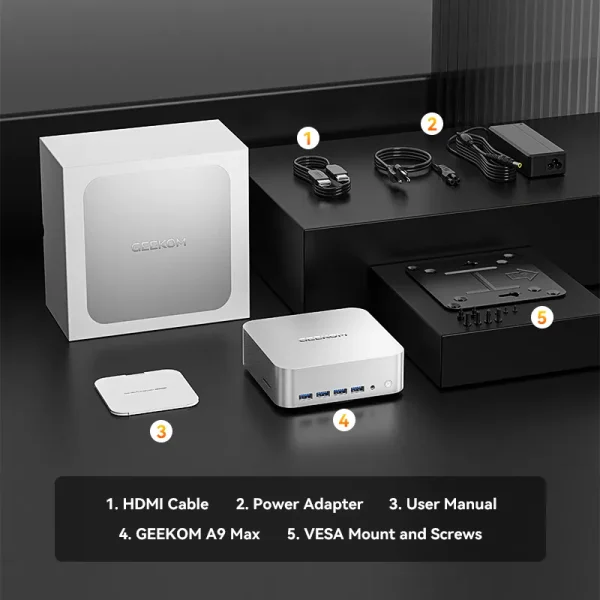
- Radeon 890M: 48.1 to 50.6 on the four machines in our records with full memory bandwidth, including the GEEKOM A9 Max and the GMKtec EVO-X1
- Intel Arc B390: 85.6 on the Khadas Mind Pro, not in our catalog (review table); the GMKtec EVO-T2 uses the same Core Ultra X7 358H but has no result in our records yet
- Radeon 8060S: 133.9 on the MINISFORUM MS-S1 MAX in its Performance mode, and 148.1 on the GMKtec EVO-X2 (review table)
Read this as tiers, not a ranking to the last frame: the reviews span 2024 to 2026, with different drivers, game patches, power settings and memory. The same chip can land far apart (the Radeon 780M as low as 25.2, the 680M as low as 23.3), so check the exact machine. The step from the 780M to the 890M is a few frames per second, the best 680M results come close to the Intel Arc 140T and within about 1 FPS of the Arc 140V, and only the Radeon 8060S and the Arc B390 clear 60 FPS.
Source: Notebookcheck: Minisforum AI X1 Pro (HX 470) review, single-channel results and comparison tables ↗
Match your budget to a graphics tier
As observed on MiniPC.guru in September 2026, rounded ranges of the lowest checked prices for complete gaming systems (memory and SSD included), with each tier’s FPS from Compare tiers with one test:
- Radeon 760M: about $450 to $650 (4 configurations); 32.9 FPS
- Radeon 680M: about $550 to $850 (7); 23.3 to 37.3 FPS
- Intel Arc 130V: about $600 to $650, from two GMKtec K17 configurations listed only at GMKtec’s own store; 36.2 FPS
- Intel Arc 140V: about $600 to $1,100 (4); 38.4 FPS
- Radeon 780M: about $600 to $1,350, median about $850 (27); 42.6 to 46.3 FPS in our records
- Intel Arc 140T: about $1,000 to $2,200, median about $1,300 (7); 35.8 to 40.5 FPS
- Radeon 890M: about $1,000 to $2,050, median about $1,300 (16); 48.1 to 50.6 FPS
- Intel Arc B390: a single listing, the 64 GB GMKtec EVO-T2 at GMKtec’s own store, at about $2,400; no result yet
- Radeon 8060S: about $2,200 to $4,350 (7), every one with 64 or 128 GB; 133.9 and 148.1 FPS on the two with results
The ranges mix memory and storage sizes: Radeon 780M systems with 16 GB ran about $600 to $700, and with 32 GB about $650 to $1,200. So the 780M with 32 GB is where most of the choice is; the 890M costs noticeably more for a few extra frames; the Arc 140T costs about as much but scored lower. The 8060S machines are a separate class that our catalog also files under Local AI; see our local AI guide.
Barebone kits are 20 of the 132 gaming configurations; priced Radeon 780M kits ran about $300 to $700 before memory, SSD and Windows (see our barebone vs complete guide). Our lowest price uses in-stock checks from the last 36 hours and leaves out shipping and tax (how we compare).
Memory: two modules, and enough of them
Integrated graphics have no memory of their own. AMD explains that they use a portion of system memory (the UMA frame buffer, set in the BIOS; AMD recommends leaving it on Auto, though a larger buffer may help in some games). So your memory bandwidth is your graphics bandwidth, and bandwidth depends on how many memory channels are in use.
The MINISFORUM AI X1 Pro with the Ryzen AI 9 HX 470 shows it. Notebookcheck’s review unit shipped with a single 32 GB module, running in single channel: 27.1 FPS in Cyberpunk 2077 and 48.4 in F1 24, both at 1080p Low. With a second identical module (dual channel), the same machine reached 50.6 and 99.2 FPS, shown under its 64 GB configuration: about double. Intel builds the rule into its specifications: on H-series Core Ultra (Series 1) systems, Arc graphics are only available with at least 16 GB of memory in a dual-channel configuration.
- Complete system: confirm two modules, or soldered LPDDR5/LPDDR5X with a good result for that exact machine; Notebookcheck suspects slow memory behind the soldered GMKtec K16’s 23.3 FPS. Chimolog reports that 16 GB UM760 Slim units sold in Japan have shipped with either one stick or two, depending on the batch.
- Barebone kit: buy two identical SO-DIMMs, never a single stick.
- Capacity: of the 112 complete gaming configurations, 22 have 16 GB, 59 have 32 GB and 28 have 64 GB or more (the other three have 24 or 48 GB). We suggest 32 GB, which leaves room for the game, Windows and the graphics’ share.
- Soldered memory: 15 of the 61 gaming models have soldered or on-package LPDDR5 or LPDDR5X, 45 use SO-DIMM slots and one does not say. It can perform well (the GMKtec EVO-X1 scored 49.2) but can never be upgraded, so buy the capacity you will need.
Source: Notebookcheck: Minisforum AI X1 Pro, simple RAM upgrade unleashes the Radeon 890M ↗
Power mode, heat and noise change the result
Each maker sets its own power limits, so the same chip can post different numbers in different boxes. Intel notes that on laptops the manufacturer decides the power and current limits, and that a processor that passes its temperature limit throttles, which can show up as stutter in games.
Many mini PCs expose those limits as modes. MINISFORUM lists Performance, Balanced, Quiet and Rack modes for the MS-S1 MAX, with Performance at 130 W sustained and 160 W peak; Notebookcheck ran its gaming tests in Performance. Figures for the quieter modes differ by source: MINISFORUM’s page, which our product page follows, gives 95 W Balanced and 60 W Quiet, Notebookcheck’s review 130/110 W and 110/80 W. The other results in our records that this guide cites mix factory settings with Windows or firmware Performance modes. Every gaming result on a product page records its power profile; check that it matches how you will run the machine.
Power supplies hint at the class: 100 to 135 W on the Radeon 780M and 890M gaming models that state a rating, 230 to 330 W on the Radeon 8060S models (supply ratings, not measured consumption).
Noise is only known when someone measures it; chassis size alone does not tell you. Notebookcheck recorded the GMKtec K6 at 44 to 48 dB(A) under demanding loads like games, almost as loud as some gaming laptops. Where we have recorded a 30-minute Cyberpunk 2077 loop, the product page lists it as a separate result.
Source: Intel: what throttling is, and who sets laptop power limits ↗
Display outputs: check the mode, not the port name
A familiar HDMI port does not prove that your monitor’s resolution and refresh rate will work. Of the 61 gaming models in our catalog, 39 list HDMI 2.1, 9 list HDMI 2.0 and 13 do not state a version. Even "HDMI 2.1" is not enough on its own: the GMKtec K11, GMKtec K13 and GMKtec EVO-T2 state 4K 60 Hz for their HDMI 2.1 port, and the GMKtec K17 Plus has one TMDS port limited to 4K 60 Hz next to an FRL port.
For a high-refresh monitor:
- Find the exact mode on the product page under Ports & displays. The Beelink SER8, for example, lists HDMI up to 4K/120Hz and DisplayPort 1.4 up to 4K/144Hz.
- Use the right cable. The official HDMI site says the Ultra High Speed HDMI Cable was introduced with HDMI 2.1 for systems supporting up to 48Gbps of bandwidth.
- Look for variable refresh rate (VRR) on both the monitor and the port. The HDMI site describes it as reducing or eliminating lag, stutter and frame tearing.
Source: HDMI.org: HDMI specification overview, now HDMI 2.2 (Ultra High Speed HDMI Cable, VRR) ↗
Plan the upgrade path: OCuLink, USB4 and PCIe
Integrated graphics cannot be replaced, so adding graphics power later means an external or add-in graphics card. Of the 61 gaming models, 26 list an OCuLink port and 59 name a USB4 or Thunderbolt port.
- OCuLink is a direct PCIe connection (PCIe 4.0 x4 on the GMKtec spec sheets) to an external graphics dock. Notebookcheck, which paired the MS-A2 with MINISFORUM’s DEG1 dock and a GeForce RTX 4090, notes that OCuLink provides greater bandwidth than USB4, enabling slightly better 3D performance.
- Check how it is wired. On several MINISFORUM models, OCuLink uses an M.2 adapter that takes one of the SSD positions. Four GMKtec spec sheets state that OCuLink is not hot-pluggable, so connect the dock before you power on.
- A slot is not a promise. Notebookcheck reports that the MS-A2’s physical PCIe x16 slot runs at PCIe 4.0 x8 and takes a low-profile card; NAS Compares notes that the MS-S1 MAX’s x16 slot is PCIe 4.0 x4 electrically. Beelink’s GTi15 Ultra uses a dedicated PCIe x8 connector for Beelink’s EX dock instead. Confirm with the manufacturer which cards a slot supports.
Price the dock, its power supply and the card as part of the machine.
Source: Notebookcheck: Minisforum MS-A2 review (Radeon 610M, OCuLink eGPU, PCIe slot; MS-01 Iris Xe row) ↗
Read a gaming result on MiniPC.guru
Each product page’s Performance section lists, under Gaming · 1080p, one game and preset at a time, with the author, publisher, date, hardware, memory layout, power profile and settings. We hold 80 approved 1080p gaming results for 22 models: 74 from Notebookcheck, 4 from ALKtech and 2 from Chimolog.
- Results belong to one configuration, as the AI X1 Pro 470’s 32 GB (single-module) and 64 GB (dual-channel) results show.
- We never blend tests. Different games are not averaged into one score, and a missing result stays missing, as it does for the GMKtec EVO-T2.
- These are external measurements. MiniPC.guru has tested one computer itself, the ASUS Ascent GX10, a local-AI machine. Every gaming figure in this guide is our summary of published sources.
- Shortlist, then compare. Open two or three candidates in Compare, and check when each store price was last checked.
About this data (23)
- Notebookcheck: Minisforum AI X1 Pro (HX 470) review, single-channel results and comparison tables ↗
- Notebookcheck: Minisforum AI X1 Pro, simple RAM upgrade unleashes the Radeon 890M ↗
- Notebookcheck: Minisforum MS-A2 review (Radeon 610M, OCuLink eGPU, PCIe slot; MS-01 Iris Xe row) ↗
- Notebookcheck: Minisforum MS-S1 Max review (German; power modes, Radeon 8060S results, EVO-X2 row) ↗
- Notebookcheck: Minisforum AI X1 (Ryzen 7 255) review (GMKtec M6 Ultra and GEEKOM IT15 rows) ↗
- Notebookcheck: GMKtec NucBox K16 review (Khadas Mind Pro Arc B390, M7 Ultra and GEEKOM A7 Max rows) ↗
- Notebookcheck: GMKtec NucBox K17 review (Intel Arc 130V) ↗
- Notebookcheck: GMKtec NucBox K13 review ↗
- Notebookcheck: GMKtec NucBox K6 review ↗
- Notebookcheck: GMKtec NucBox K11 review ↗
- Notebookcheck: GMKtec NucBox K12 review ↗
- Notebookcheck: GMKtec EVO-X1 review (GMKtec K9 and M7 Pro rows) ↗
- Notebookcheck: Beelink SER8 review ↗
- Notebookcheck: Beelink SER9 Pro review (GMKtec EVO-T1 row) ↗
- Chimolog: MINISFORUM UM760 Slim review (Japanese; 60 FPS target, VALORANT, AFMF 2, one or two memory sticks) ↗
- AMD: configuring the UMA frame buffer on systems with integrated graphics ↗
- Intel: Core Ultra (Series 1) specifications, Arc graphics and dual-channel memory ↗
- Intel: how to improve Fortnite FPS (resolution, 3D resolution, presets) ↗
- Intel: what throttling is, and who sets laptop power limits ↗
- HDMI.org: HDMI specification overview, now HDMI 2.2 (Ultra High Speed HDMI Cable, VRR) ↗
- NAS Compares: MINISFORUM MS-S1 MAX review (PCIe slot wiring) ↗
- GMKtec: EVO-T2 specifications (Core Ultra X7 358H, Arc B390, HDMI 2.1 TMDS, OCuLink) ↗
- MINISFORUM: MS-S1 MAX product page (Performance, Balanced, Quiet and Rack modes) ↗
Related Mini PCs
Open a model to see its configurations, specifications and the store prices we track.