MINISFORUMMini PC reference
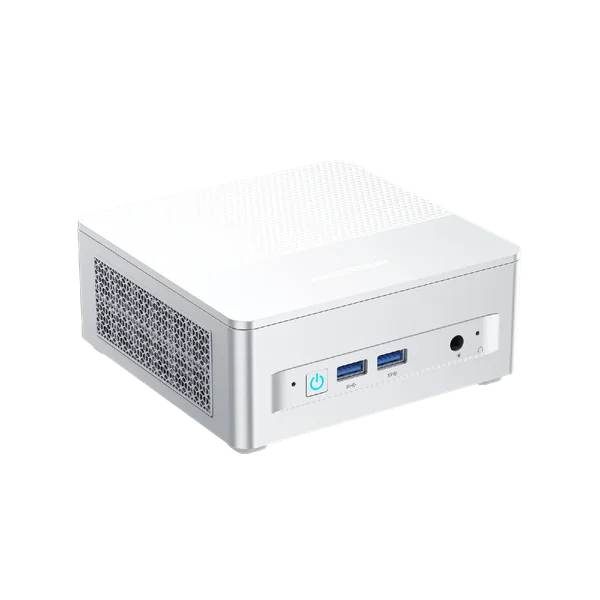
MINISFORUM X1 Lite
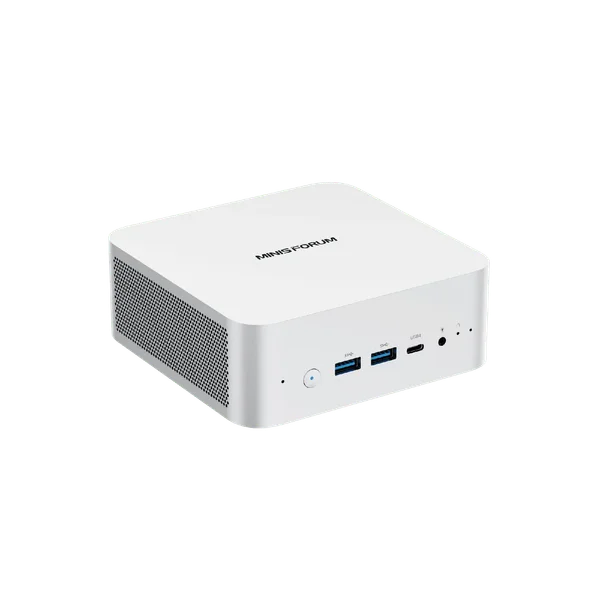
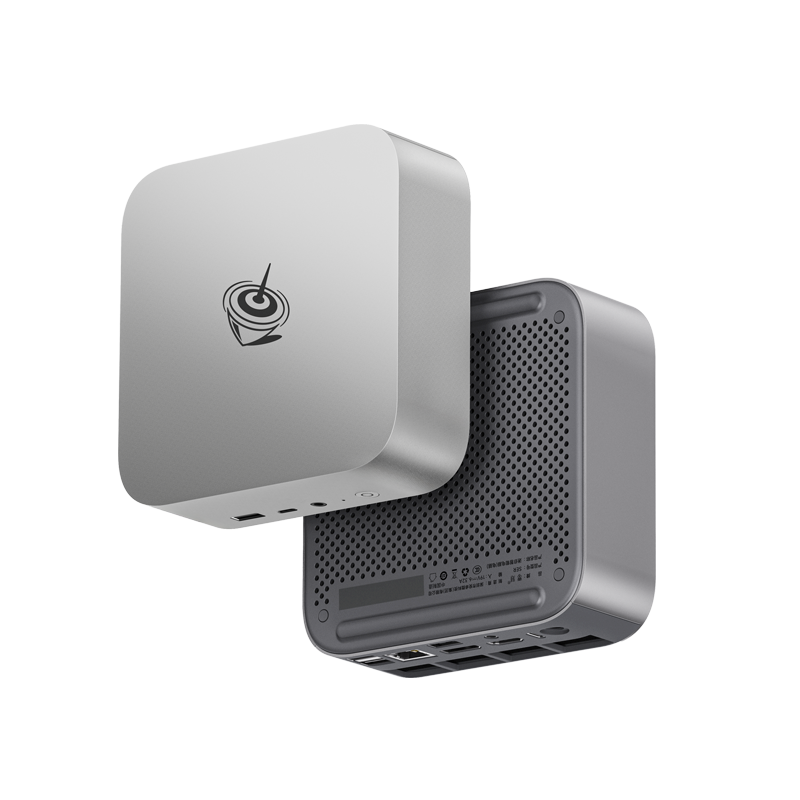
MINISFORUM X1 Lite uses AMD Ryzen 7 255 with Radeon 780M. An upgradeable small desktop for a workspace or development environment. OCuLink makes external graphics possible with compatible extra hardware, but it trades away an internal SSD position.
- Processor
- AMD Ryzen 7 255
- Graphics
- Radeon 780M
- Memory
- 32 GB
- Storage
- 512 GB
Prices across stores
MiniPC.guru compares retailer listings. Purchases are completed on the retailer’s website.
We may earn a commission if you buy through affiliate links.
| Retailer | Availability | Listed price | Last checked | Retailer website |
|---|---|---|---|---|
 Affiliate link Affiliate link | Out of stock | $671 | View at MINISFORUM | |
 | Not confirmed | See at storeCheck expired | View at Amazon |
Availability reflects the latest store check. Shipping, tax, coupons and checkout totals are not included; confirm them at the store.
Specifications
Processor, graphics and installed memory/storage describe the selected configuration. Expansion limits and connectivity describe the model; optional hardware is identified separately. References are collected in About this data below.
- Processor
- AMD Ryzen 7 255
- Graphics
- Radeon 780M
- Memory
- 32 GB
- Storage
- 512 GB
- Ports & displays
- Two USB-A 3.2 Gen 2, two USB-A 2.0, one USB4 Type-C, HDMI 2.1, DisplayPort 1.4 and a 3.5 mm headset jack. OCuLink is provided through an M.2 adapter.
- Ethernet, Wi-Fi & Bluetooth
- One 2.5GbE RJ45, Wi-Fi 6E and Bluetooth 5.2.
- RAM & storage upgrades
- Two DDR5-5600 SO-DIMM slots, up to 128 GB; two M.2 2280 PCIe 4.0 x4 NVMe slots, up to 4 TB each. OCuLink uses an M.2 position.
- Power supply & power limits
- 120 W external adapter, rated 19 V / 6.32 A in the Japanese manufacturer specification. This is power-supply capacity, not measured consumption.
- Dimensions & weight
- 130 × 126 × 47.2 mm.
What owners say
Three Japanese reviewers had this Ryzen 7 255 machine, all the 32 GB / 1 TB model, and between them they found little to complain about except the plastic. One could barely hear the fan with an ear to the case during a benchmark; another measured about 34 dB on a phone app under Cinebench, with the processor peaking at 78 °C. The BIOS Silent mode is quiet enough to forget the machine is on; Performance mode makes the fan constant and noticeable, and one reviewer's scores barely moved between the three modes, so Silent costs little. The case is resin — well made by one account, not premium by another — and weighed about 595 g on two scales, well under the 670 g in the specification. Its best trick is power: the rear USB4 port accepts 100 W USB PD, so a single cable from a suitable monitor can run it, and an owner uses that to keep an OCuLink graphics dock tidy. The catch is that OCuLink needs the bundled adapter in the second M.2 slot, leaving one SSD slot, and it is not hot-pluggable. The factory drive arrived BitLocker-encrypted, and one buyer found the Wi-Fi card did not work under Linux.
- For whom
- A quiet, compact everyday PC that can grow into an external graphics card over OCuLink or run from one USB-C cable.
- Not for
- Linux users who need the built-in Wi-Fi, and anyone who needs two internal SSDs while using OCuLink.
Our own summary of 4 published sources, reviewed Sep 23, 2026. We have not tested this Mini PC ourselves; the sources are listed under About this data.
Performance
A fixed game, build, benchmark scene, graphics preset and upscaling setting must be specified before publishing results.
Price history
MINISFORUM X1 Lite · 32 GB RAM · 512 GB SSD
Loading checks…
New condition · US stores · USD · Selected configuration only. Prices exclude shipping and tax. Each price stays on the chart until that listing's next check, for at most 36 hours, the same window the store prices use. Out-of-stock, failed and missing checks leave gaps.
About this data6 references
Specs and any benchmark results come from the sources below. We haven't tested this Mini PC ourselves.
Sources
- MINISFORUM X1 Lite — manufacturer specifications ↗
- Manufacturer / specification source
- Ports & displays · Reviewed Sep 15, 2026
- Ethernet, Wi-Fi & Bluetooth · Reviewed Sep 15, 2026
- RAM & storage upgrades · Reviewed Sep 15, 2026
- Dimensions & weight · Reviewed Sep 15, 2026
- Owner review source · Reviewed Sep 23, 2026
- Selected configuration ↗
- Selected configuration
- MINISFORUM Japan — X1 Lite specifications ↗
- Power supply & power limits · Reviewed Sep 15, 2026
- 【西川和久の不定期コラム】NPUレスで高コスパ。Ryzen 7 255搭載ミニPC「X1 Lite」を試す ↗
- Owner review source · Reviewed Sep 23, 2026
- MINISFORUM X1 Lite-255 実機レビュー、Ryzen 7 255を搭載するミニPC、高負荷時にも極めて静音、外付けグラボの動作も確認済 ↗
- Owner review source · Reviewed Sep 23, 2026
- 『Minisforum X1 Lite』レビュー|小型軽量ボディにAMD Ryzen 7 255を搭載したミッドレンジモデル ↗
- Owner review source · Reviewed Sep 23, 2026
Related models
Models with related processors, graphics or use cases. Check each model’s specifications and configurations before comparing.