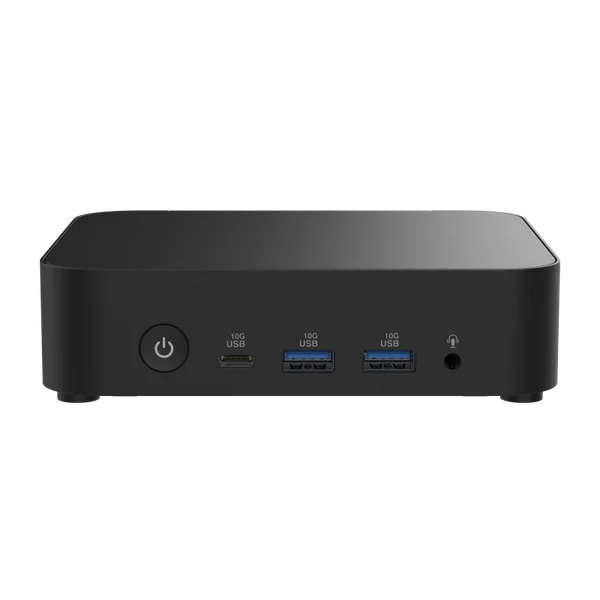
ASUSMini PC reference
ASUS NUC 14 Essential (N250)
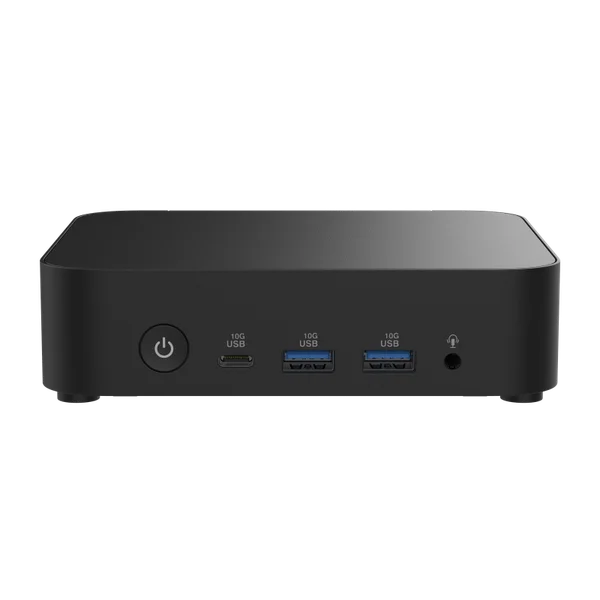
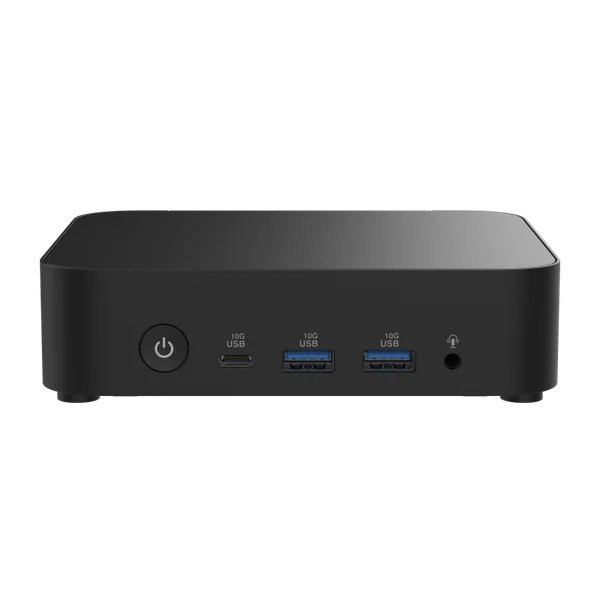
ASUS NUC 14 Essential (N250) is an entry-level barebone for everyday browsing, signage and lightweight services. Its HDMI, DisplayPort and USB-C display connections offer deployment flexibility. The single memory slot is limited to 16 GB in ASUS documentation; RAM, storage and OS are separate.
- Processor
- Intel N250
- Graphics
- Intel Graphics
- Memory
- Not included
- Storage
- Not included
Prices across stores
MiniPC.guru compares retailer listings. Purchases are completed on the retailer’s website.
We may earn a commission if you buy through affiliate links.
| Retailer | Availability | Listed price | Last checked | Retailer website |
|---|---|---|---|---|
 | In stock | $427.10Sold by OneDealOutlet Online | View at Amazon | |
 Affiliate link Affiliate link | Not confirmed | See at storeCheck failed | View at Newegg | |
 | Not confirmed | See at store | No automatic check | View at B&H Photo Video |
 | Out of stock | $369.95 | View at MITXPC | |
 | No longer listed | — | View at eSaitech | |
 | Out of stock | $313.44 | View at Westend IT Store | |
 | No longer listed | — | View at LTT Partners | |
 | Out of stock | $290 | View at CDW | |
 | Out of stock | $295.55 | View at COLAMCO | |
 | Out of stock | $283.25 | View at NEBuMAX | |
 | Out of stock | $301.04 | View at PCNation | |
NextWarehouse | Not confirmed | See at storeCheck expired | View at NextWarehouse |
Availability reflects the latest store check. Shipping, tax, coupons and checkout totals are not included; confirm them at the store.
Specifications
Processor, graphics and installed memory/storage describe the selected configuration. Expansion limits and connectivity describe the model; optional hardware is identified separately. References are collected in About this data below.
- Processor
- Intel N250
- Graphics
- Intel Graphics
- Memory
- Not included
- Storage
- Not included
- Ports & displays
- 2 × USB-C 10Gbps (rear with DisplayPort 1.4), 4 × USB-A 10Gbps, 1 × USB 2.0, HDMI 2.1 TMDS, DisplayPort 1.4 and 3.5 mm headset jack.
- Ethernet, Wi-Fi & Bluetooth
- 1 × 2.5GbE RJ45 (Realtek RTL8125D-CG); Intel AX211 Wi-Fi 6E and Bluetooth 5.3.
- RAM & storage upgrades
- 1 × DDR5-4800 SO-DIMM, up to 16 GB. The ASUS kit manual documents one M.2 2280/2242 PCIe 3.0 x4 connector accepting an NVMe or SATA SSD; do not assume two SSDs can be installed together. RAM, SSD and OS are not included.
- Power supply & power limits
- 65 W external adapter (19 V, 3.42 A); this rating does not describe measured system consumption.
- Dimensions & weight
- 135 × 115 × 36 mm (W × D × H).
What owners say
Only one publication reviewed this N250 kit, backed by two owners, so this is a thinner read than most. That review found a chip that runs hot and a fan that hides it: 105 °C in an AIDA64 stress test before settling around 80 °C, and up to 98 °C with ten Chrome tabs and a 4K YouTube video, yet the fan was barely audible on the Standard setting and the case hardly warmed. That is far hotter than the 82 °C the N355 version peaked at in another lab, though the tests differ. The BIOS has Quiet, Standard and Performance fan presets plus a custom curve, and a Max Performance power mode. Office work, browsing and light photo editing ran without stutters, and a buyer found it powerful enough for office and internet use. Wi-Fi 6E held a stable link through a wall at ten metres. Two practical notes: an offline Windows 11 install did not find the network hardware, so put ASUS's driver pack on the install stick; and four bottom screws release a cover whose heatsink pads touch the SSD. One owner's Linux server stopped finding its PCIe 5.0 SSD after a month, which may be the drive rather than the NUC.
- For whom
- A quiet barebone office PC for someone who will choose their own memory and SSD.
- Not for
- Anyone who wants the chip to run cool under sustained load, and heavier creative work.
Our own summary of 3 published sources, reviewed Sep 23, 2026. We have not tested this Mini PC ourselves; the sources are listed under About this data.
Performance
Same Procyon Office Productivity version, application versions and power profile.
Price history
ASUS NUC 14 Essential (N250) · Barebone · RAM & SSD not included
Loading checks…
New condition · US stores · USD · Selected configuration only. Prices exclude shipping and tax. Each price stays on the chart until that listing's next check, for at most 36 hours, the same window the store prices use. Out-of-stock, failed and missing checks leave gaps.
About this data5 references
Specs and any benchmark results come from the sources below. We haven't tested this Mini PC ourselves.
Notes
- Measured wall power, acoustic measurements and configuration-matched benchmark results remain unverified.
- The ASUS web table labels 2280 NVMe and 2242 SATA as Slot 1 and Slot 2, but the NUC14MNK-B manual explicitly describes one connector with alternative mounting lengths. This reference follows the installation manual and does not promise simultaneous dual-SSD support.
Sources
- ASUS NUC 14 Essential (N250) — manufacturer specifications ↗
- Manufacturer / specification source
- Selected configuration
- Ports & displays · Reviewed Sep 15, 2026
- Ethernet, Wi-Fi & Bluetooth · Reviewed Sep 15, 2026
- RAM & storage upgrades · Reviewed Sep 15, 2026
- Power supply & power limits · Reviewed Sep 15, 2026
- Dimensions & weight · Reviewed Sep 15, 2026
- ASUS NUC 14 Essential Kit — ASUS user manual ↗
- RAM & storage upgrades · Reviewed Sep 15, 2026
- ASUS NUC 14 Essential review: a productive mini-PC ↗
- Owner review source · Reviewed Sep 23, 2026
- ASUS NUC 14 Essential customer reviews - LDLC (review by Aurionou, model N250) ↗
- Owner review source · Reviewed Sep 23, 2026
- Ubuntu 24.04.3 installation suddenly not able to find boot drive ↗
- Owner review source · Reviewed Sep 23, 2026
Related models
Models with related processors, graphics or use cases. Check each model’s specifications and configurations before comparing.